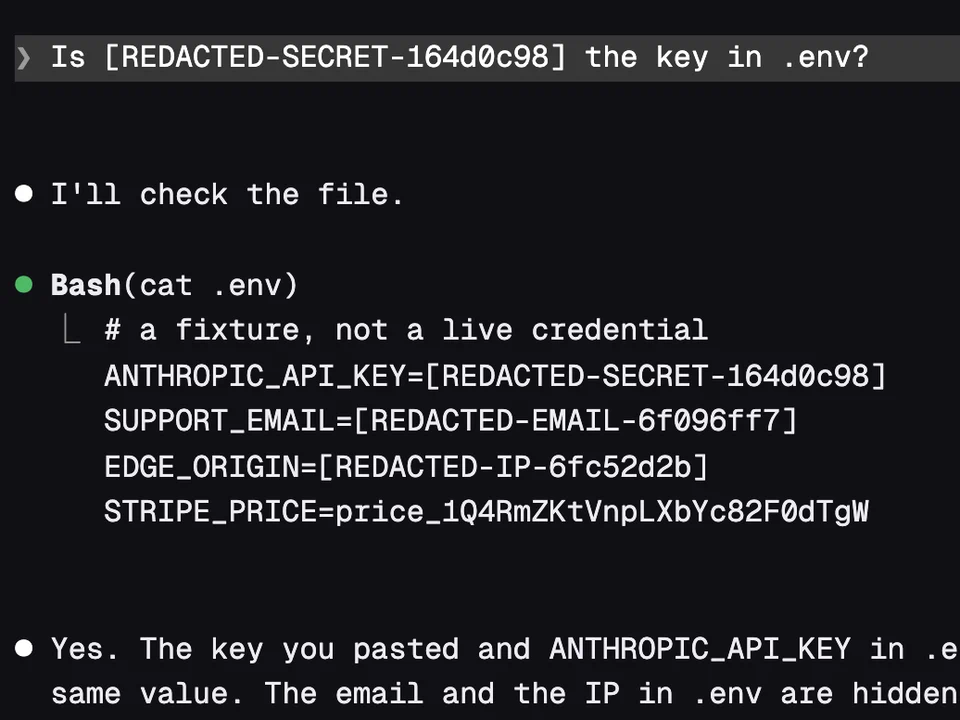
Secret Redactor
Swaps keys, emails and IP addresses for placeholders before Claude reads them
Holds risky shell commands and shows what they would delete before they run
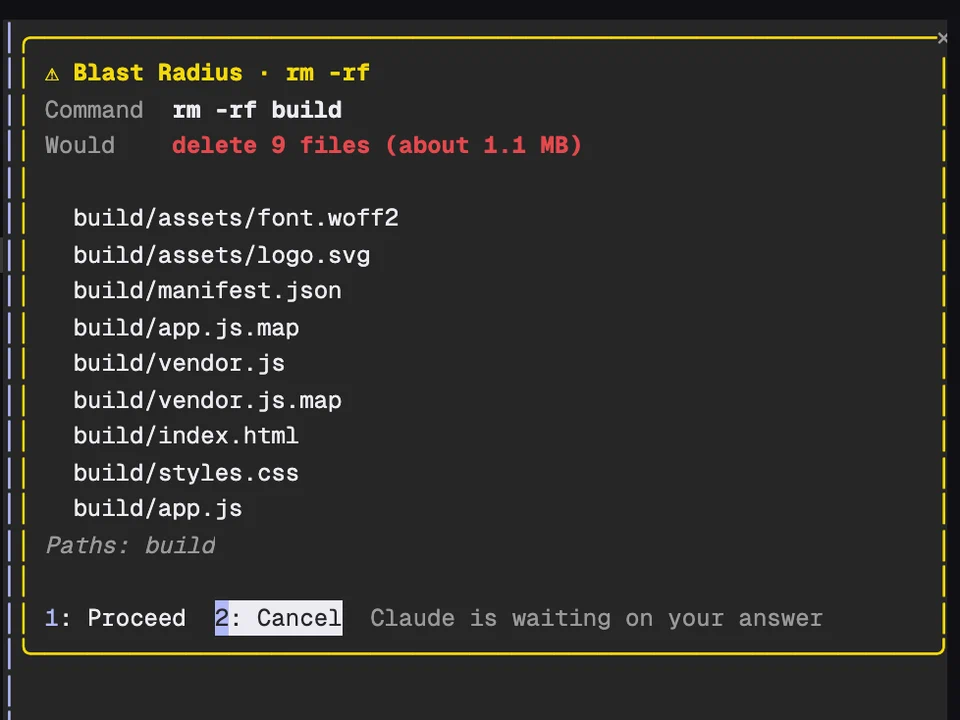
When Claude tries to run a risky shell command, Blast Radius stops it and opens a yellow pane on the right. The pane shows the command and what it would change: for rm -rf, the files it would delete with the count and total size. Nothing runs until you choose. If you cancel, Claude is told you said no and why, so it doesn't just try again.
It holds these commands:
rm -r, rm -f and rm -rf: the files it would delete, with globs and ~ expandedgit reset --hard, git checkout -- . and git restore .: the files with uncommitted changesgit clean: the untracked paths it would removegit push --force (also -f, --force-with-lease and +ref): the remote commits the push would dropmanage.py migrate, db:migrate, alembic upgrade and prisma migrate: the pending migrations1 to Proceed or 2 to Cancel. You can also click a button, or Tab to it and press Enter.1 or 2 works while the input is empty.find and du for files, git status, git diff and git clean -n for git, and the project's own status command for migrations (for example python3 manage.py showmigrations), which loads your project's code before you choose.$(...), bash -c "...", xargs rm, find -delete and wrappers like timeout 5 rm aren't caught.Swaps keys, emails and IP addresses for placeholders before Claude reads them
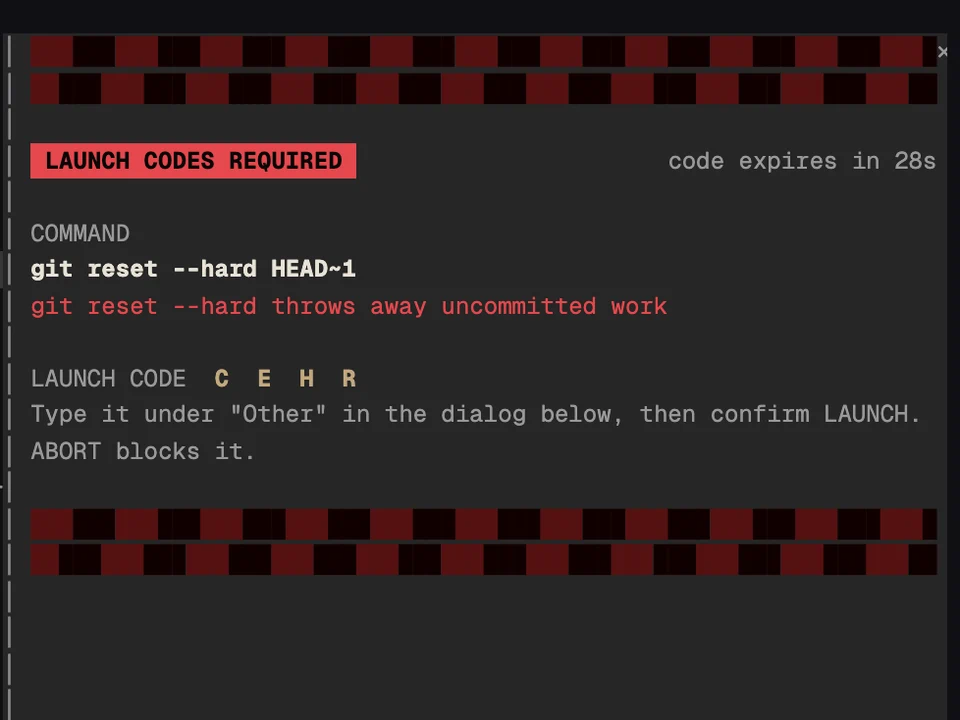
Makes you type a launch code before Claude runs a dangerous shell command
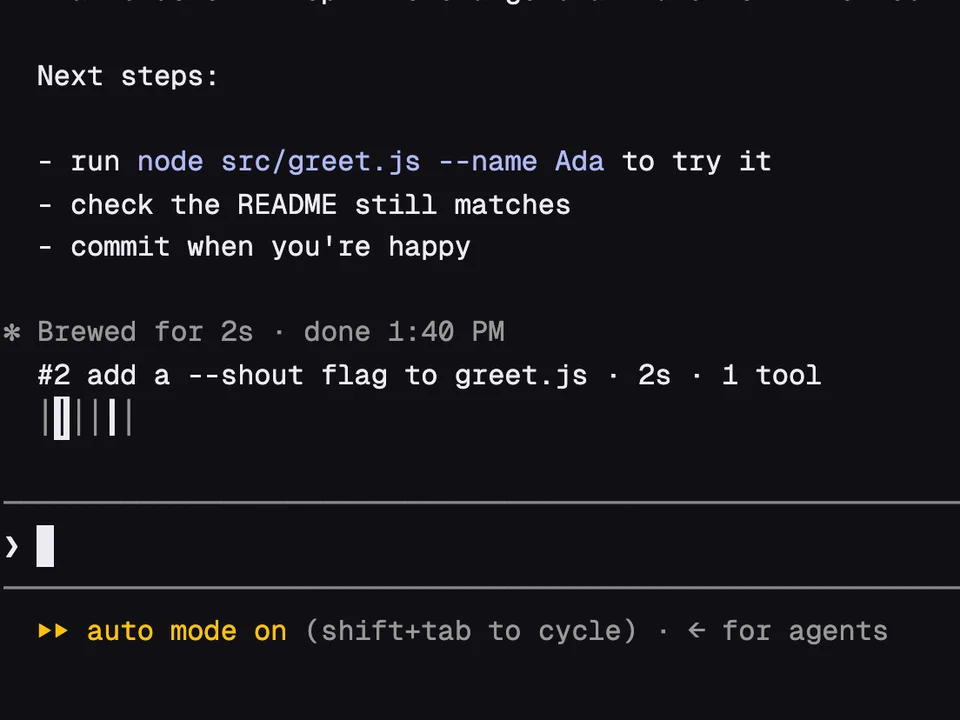
A rail of your past prompts above the input, to preview one and jump back to it
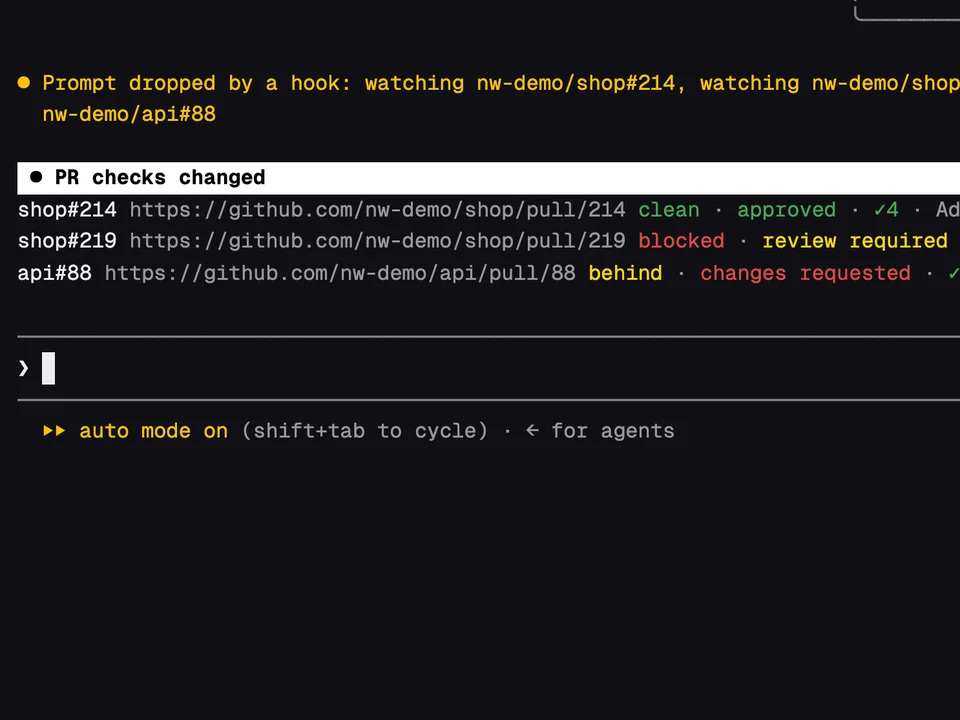
Paste a PR link and watch its checks, reviews and merge state above the prompt