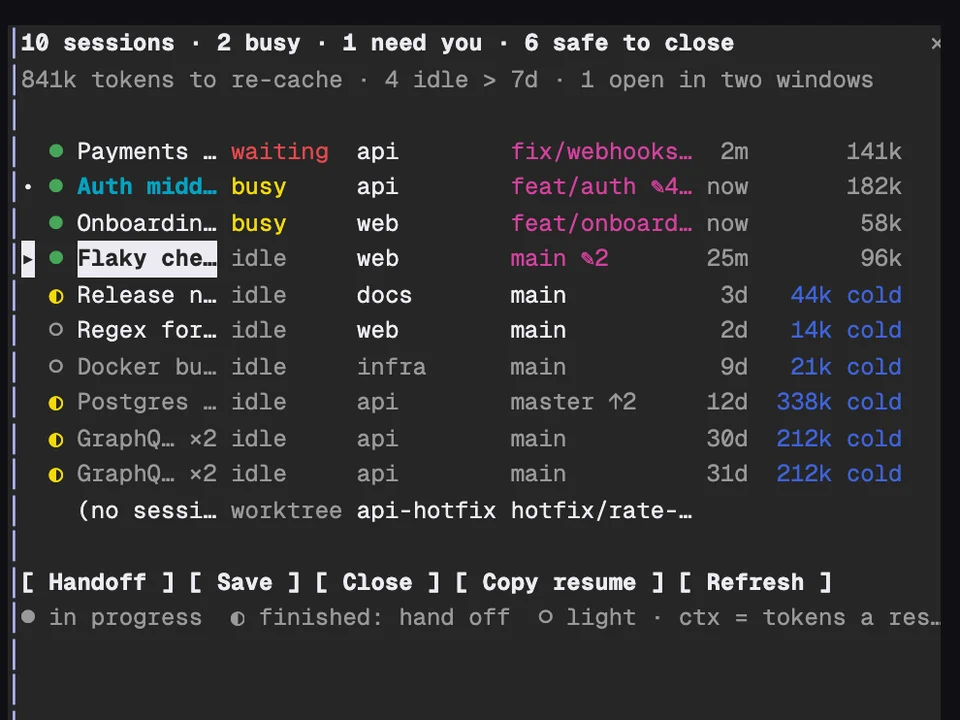
Claude Fleet
Every Claude session on your machine in one table, with handoffs and cleanup
Shows where each turn's time goes, live: model, shell, reads, edits, agents, web
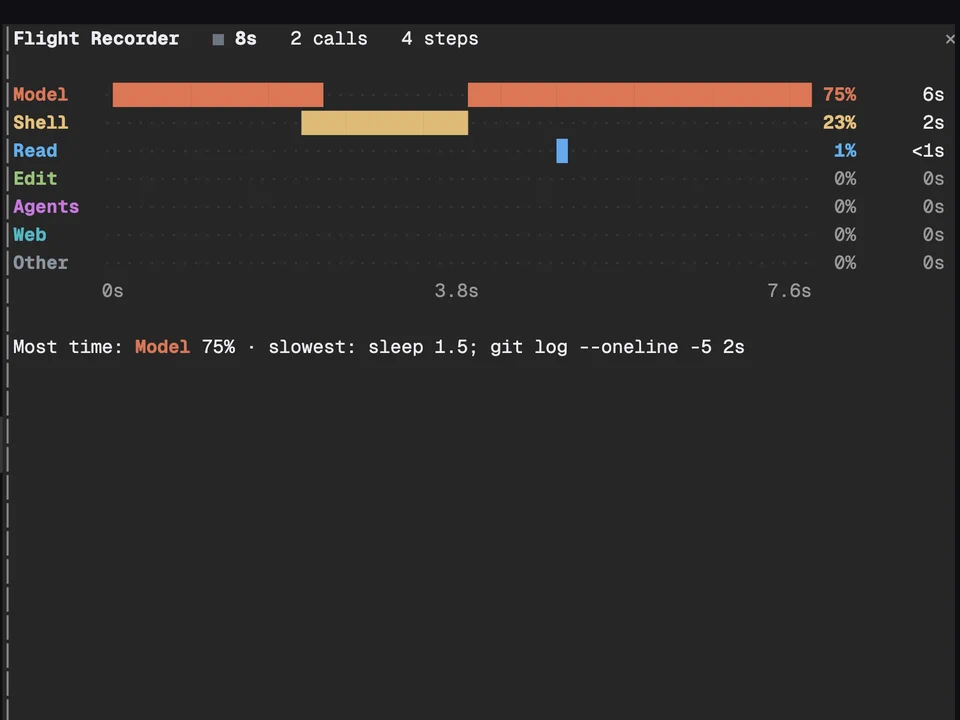
/flight opens a pane with one colored row per kind of work: Model, Shell, Read, Edit, Agents, Web and Other. While Claude works, each row fills in along a time axis as it happens, with its share of the turn and its total time on the right. When the turn ends, a line under the rows names where most of the time went and the slowest single call.
It answers "why was that turn slow?" without guessing: was it the model thinking, a long shell command or a pile of file reads.
/flight to open the pane. Type it again to close it.| Row | What counts |
|---|---|
| Model | Claude writing its answer or deciding the next step |
| Shell | Bash and background shell tools |
| Read | Read, Grep, Glob |
| Edit | Edit, Write, notebook edits |
| Agents | sub-agents and workflows |
| Web | web search and fetch, browser tools |
| Other | everything else, like MCP tools and skills |
Every Claude session on your machine in one table, with handoffs and cleanup
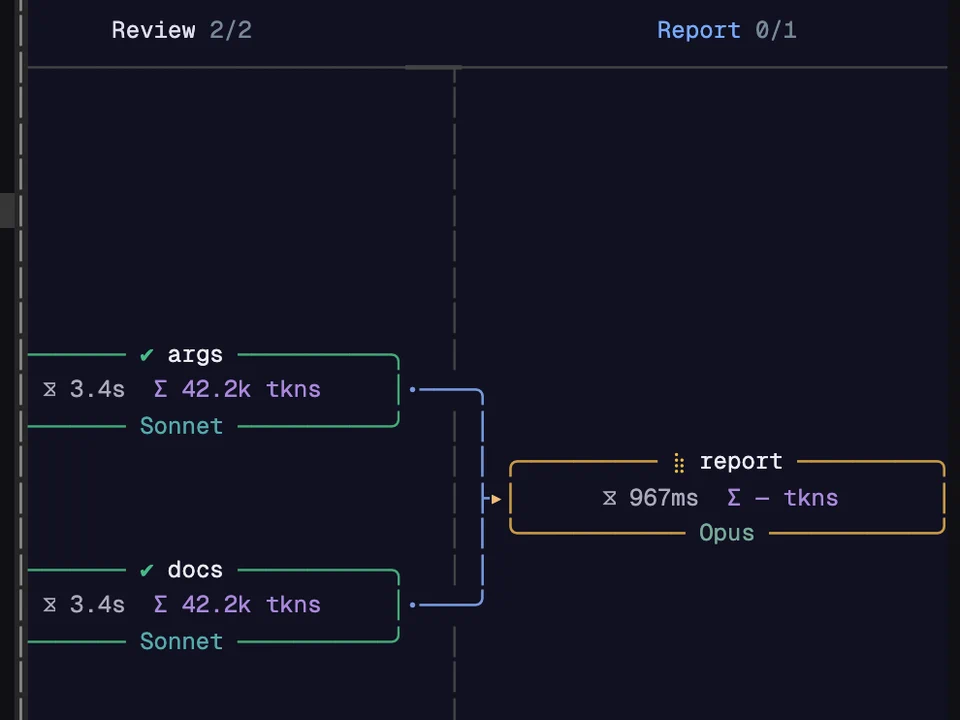
Watch a Workflow run as a live graph of its phases and agents, in a side pane
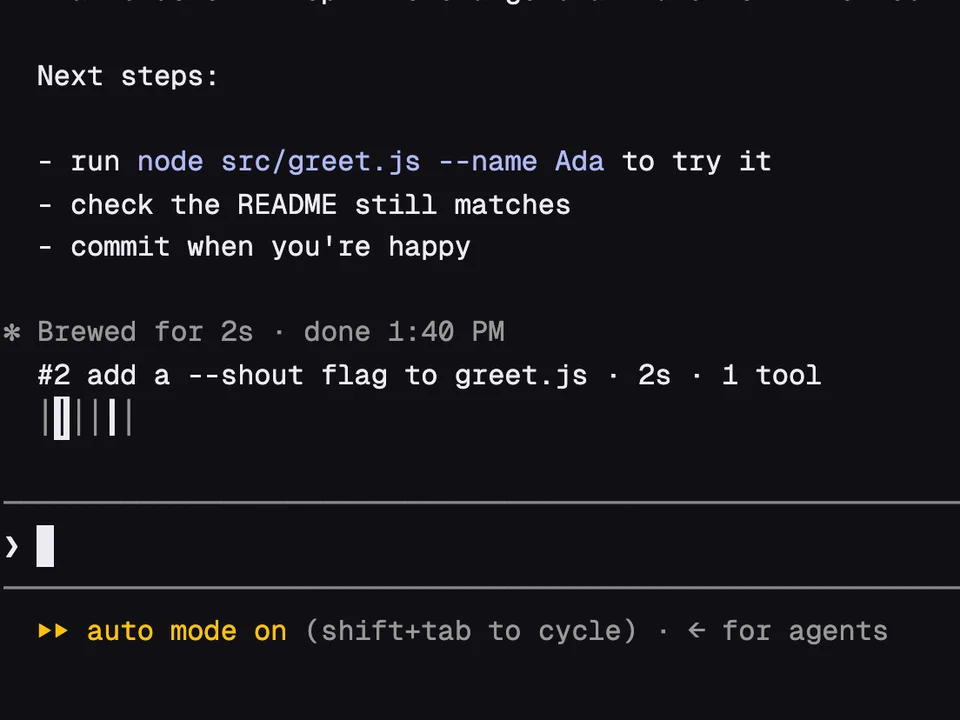
A rail of your past prompts above the input, to preview one and jump back to it

A three-lane endless runner in a pane beside the transcript